EasySay · Voice typing on Mac
Voice typing on Mac

Voice typing on Mac
in any app, offline

Press ⌥ Option + Tab, speak, press again. Clean text with punctuation appears wherever your cursor is: Slack, Gmail, Notion, Word or ChatGPT. Speech recognition runs on your Mac, with no internet needed.

macOS 14+ · Apple Silicon (M1 or later) · Windows 10 and 11

Better than built-in macOS dictation

Apple Dictation is fine for short phrases, but long speech loses punctuation, mixes up technical terms and stops on pauses.

EasySay uses Whisper, trained on hundreds of thousands of hours of speech. Talk for a minute straight, ramble, switch languages mid-sentence. You get tidy text, not a raw transcript.

How to start voice typing on Mac

  1. Download EasySay and drag it to Applications.
  2. On first launch, allow Microphone and Accessibility access, so EasySay can paste into other apps.
  3. Click into any text field: a message, an email, a document.
  4. Press ⌥ Option + Tab, speak, press again. The text appears a second later.

Speak naturally, get finished text

Modes shape the text for the job: say a thought out loud and get a polished message, a professional email or a to-do list.

  • Punctuation and paragraphs added automatically
  • Filler words and repeats removed
  • Understands mixed languages in one sentence
  • Custom dictionary for names, brands and jargon
  • Voice translation: say “translate to Spanish” and dictate
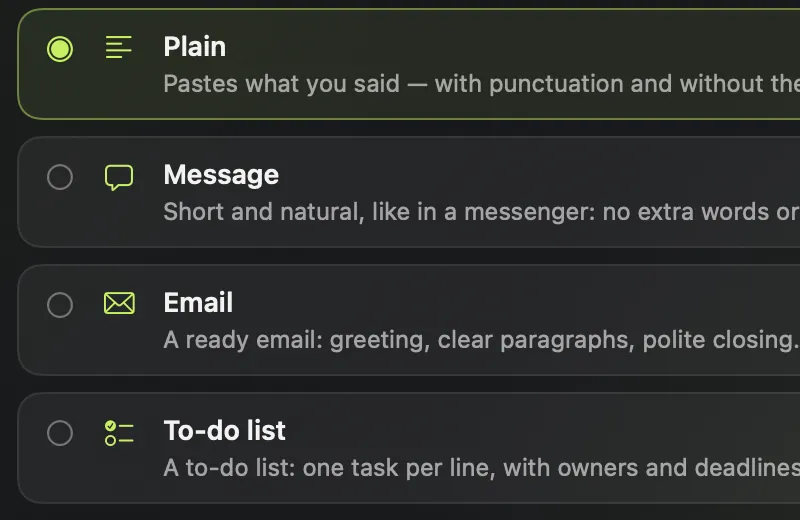
Dictation modes: plain, message, email, task list

Private by design

Recognition runs on your Mac. Your voice and text never leave it, and there is no account. Dictate on a plane, on bad Wi-Fi, or about work you can't send to the cloud.

Requires a Mac with Apple Silicon (M1 or later) and macOS 14+. The model downloads once on first launch, about 1.5 GB. There is also a Windows version.

Questions
Does it work offline?

Yes. Speech is recognized on your Mac. The internet is only used once to download the model, and to check for updates.

Which apps does it work in?

Anywhere you can type: Slack, WhatsApp, Telegram, Gmail, Notion, Word, Google Docs, ChatGPT, Cursor, VS Code and more.

Which languages are supported?

English, Spanish, German, French, Portuguese, Russian, Japanese, Chinese and dozens more. You can mix languages in one sentence.

How much does it cost?

14 days with every feature, free. After that, basic dictation stays free up to 2,000 words a week, and the full version is a one-time purchase or a subscription. See pricing.

Does it run on Intel Macs?

No. EasySay needs Apple Silicon (M1, M2, M3, M4 or later) to run speech recognition fast without the cloud.

Try it yourself

14 days with every feature, free. No account, no card.

macOS 14+ · Apple Silicon (M1 or later) · Windows 10 and 11