EasySay · Voice typing on Windows
Voice typing on Windows

Voice typing
on Windows 10 and 11

Dictate into any app on your PC: chat, email, Word, the browser, ChatGPT. EasySay recognizes speech on your computer, accelerated by your graphics card, so text appears fast and never leaves your PC.

macOS 14+ · Apple Silicon (M1 or later) · Windows 10 and 11

Why not Windows voice typing

Windows voice typing (Win + H) sends your speech to Microsoft's cloud and often misses punctuation on longer sentences.

EasySay uses Whisper, one of the most accurate speech models available. It runs locally on GeForce, Radeon or Intel graphics, or on the CPU if you have no GPU.

How to start dictating on Windows

  1. Download the EasySay installer for Windows and run it.
  2. On first launch it downloads the speech model, about 1.5 GB.
  3. Click into any text field and press Ctrl + Shift + Space.
  4. Speak and press the shortcut again. The text is pasted where your cursor is.

More than dictation

EasySay for Windows has the same features as the Mac version.

  • Modes: message, email, task list, AI prompt
  • Custom dictionary for names and jargon
  • Video to text from links and whole folders
  • Meeting recording with a short summary
  • Interface in 8 languages, automatic updates
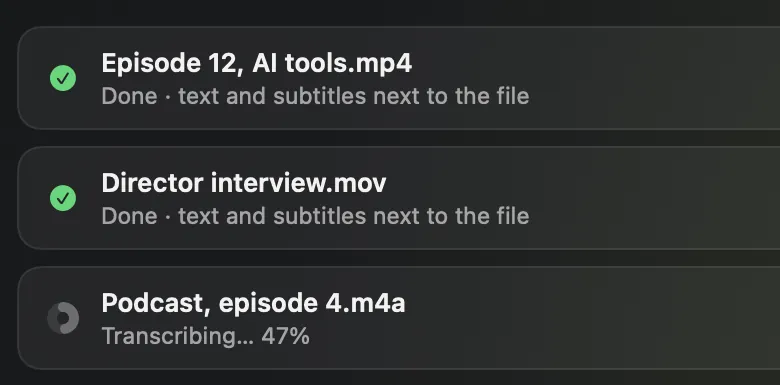
Transcription queue: two files done, a third in progress

Requirements

Windows 10 or 11 (64-bit), 8 GB RAM and about 1.5 GB of disk space for the model. A graphics card is optional but makes recognition noticeably faster.

The installer is not code-signed yet, so Windows may show “Windows protected your PC”. Click “More info”, then “Run anyway”. One purchase covers two computers, any mix of Mac and Windows.

Questions
Does it work offline?

Yes. Recognition runs on your PC. The internet is only needed to download the model and updates.

Do I need a powerful GPU?

No. A GeForce, Radeon or integrated Intel GPU makes it faster, but EasySay also runs on the CPU alone.

Can one license cover my Mac and my PC?

Yes. One purchase works on two of your computers, any combination of Mac and Windows. See pricing.

Try it yourself

14 days with every feature, free. No account, no card.

macOS 14+ · Apple Silicon (M1 or later) · Windows 10 and 11